Docket
A to-do app with AI built in, on a server you own. Write a plan in plain words and a model on your own machine turns it into tasks you confirm; Claude, ChatGPT and local assistants can add and move tasks but never delete them. It works like Microsoft To Do, on Windows, Android, the web and the command line.
- Client
- Docket
- Type
- Client Project
- Year
- 2026
- Status
- Open source, version 0.3.0
- Our role
- Product, apps, connector and docs
- Services
My Day
Sunday 15 November
- Send proposal to FabrikamHighClient
- Buy groceriesErrand
- Reply to Maya about the retainerMedium
- Portfolio site: scrollytelling heroDo nowDesign
01
The brief
Docket wanted Microsoft To Do’s calm, quick way of working, without handing anyone’s tasks to a third party. We designed and built it: the same smart lists, My Day and quick add, on a Vikunja server that you run on your own PC or on a server you control.
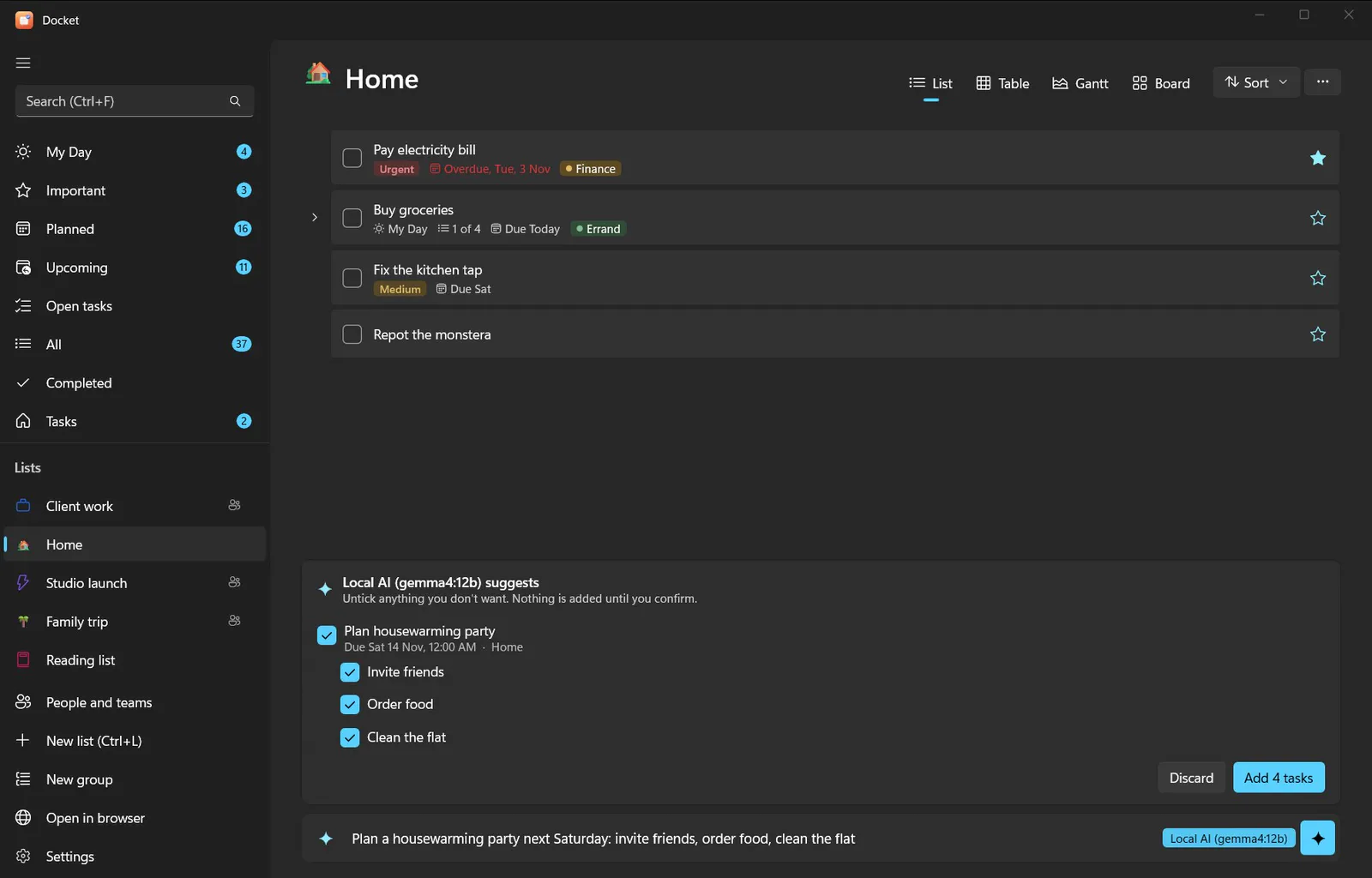
The window above is a working copy. Watch it plan a launch week from one sentence: with AI on, a model running on your own machine suggests the tasks, and nothing is added until you confirm. Click into it to take over: type a task with a date word or a priority, such as “Call Pat tomorrow !4”, tick tasks off, or switch lists.
AI in Docket
- Plan in plain wordsType “plan launch week…” with AI on and Docket suggests the tasks, dates and priorities.
- You confirm, it addsSuggestions wait in a panel. Nothing reaches your lists until you add them.
- Runs on your machinePlanning uses a local model through Ollama, so your words are not sent to a cloud service.
- Assistants that can't deleteClaude, ChatGPT and local models work on tasks over MCP, but have no way to delete.
02
From sketch to screen
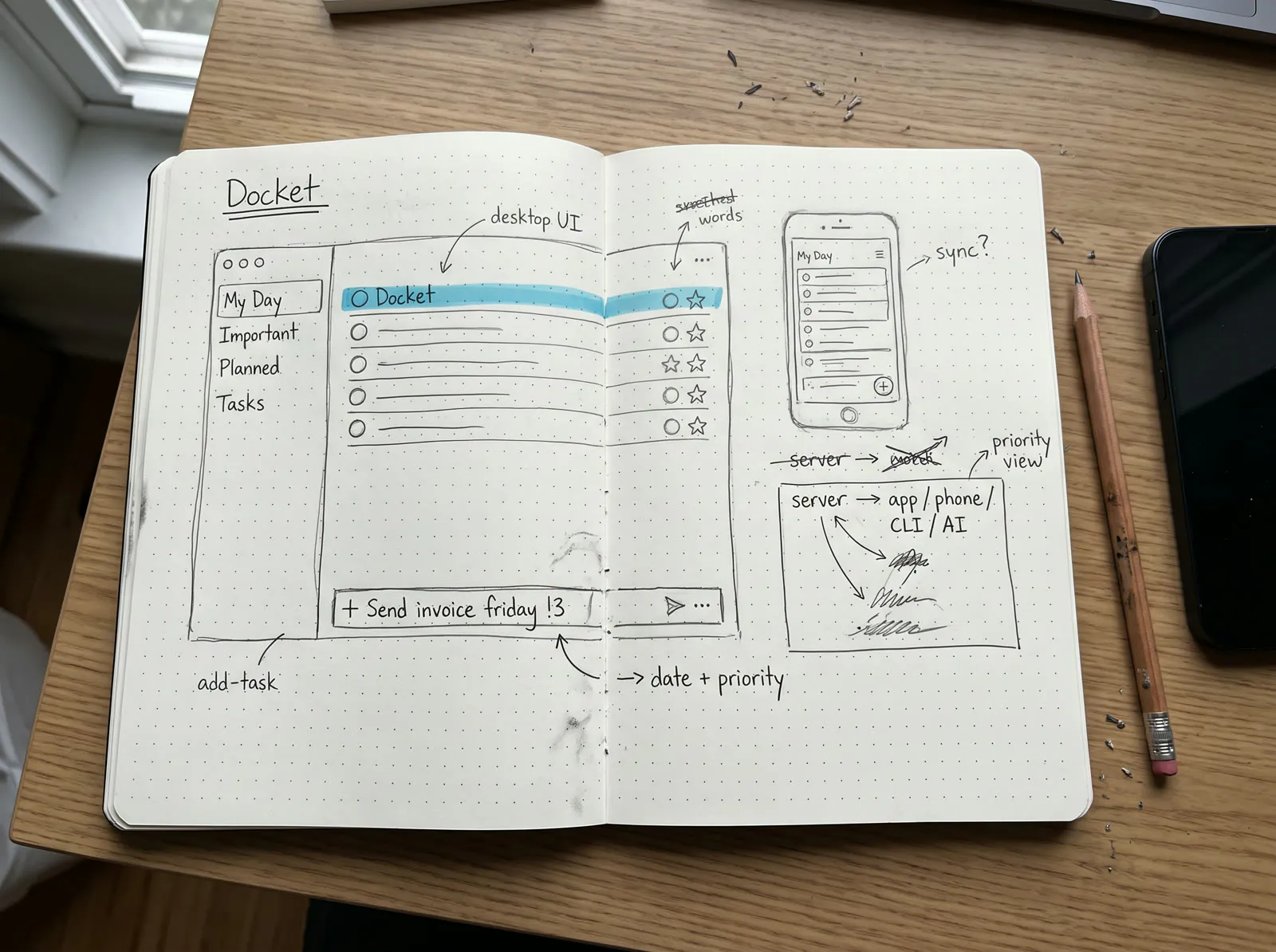
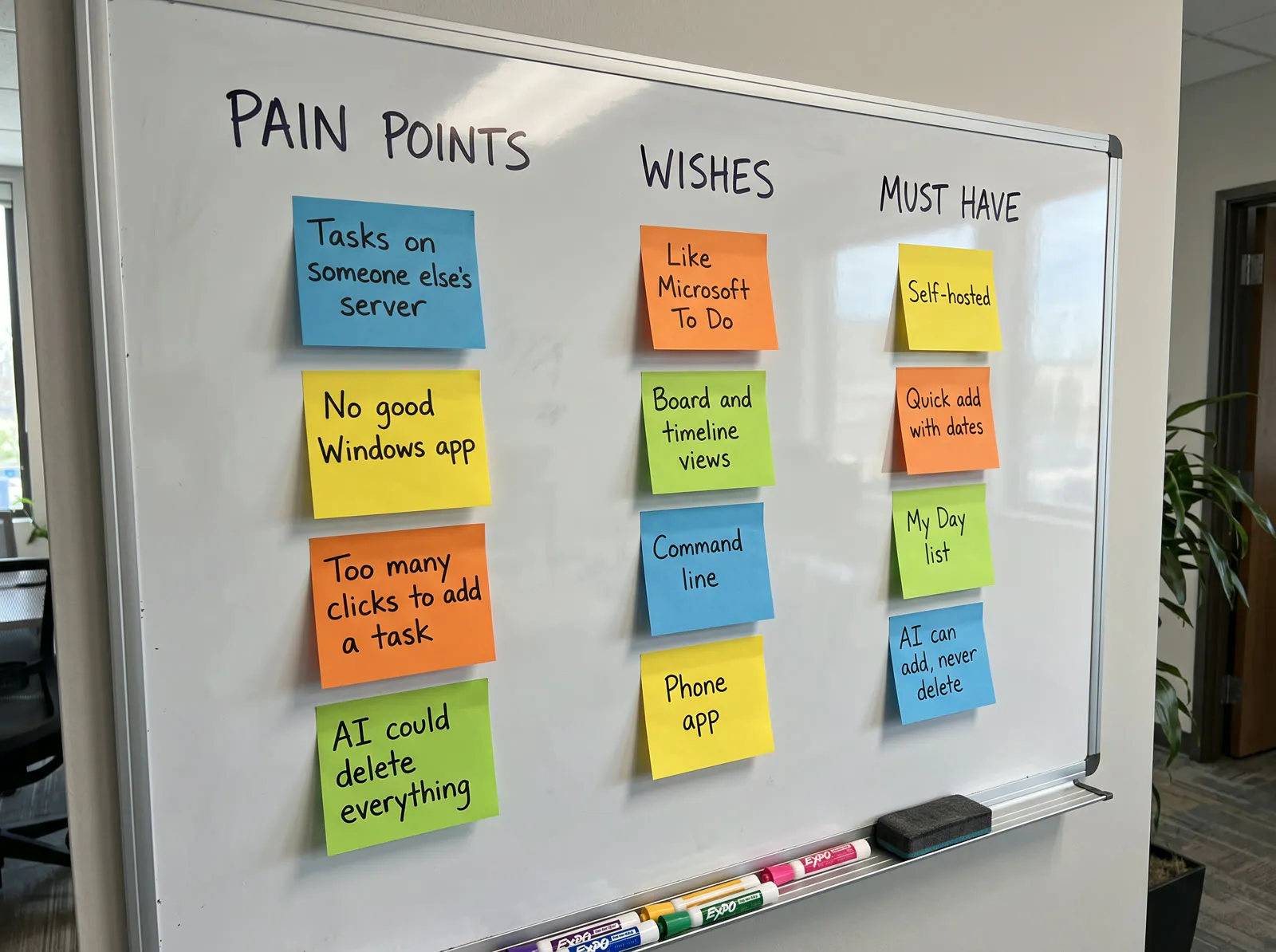
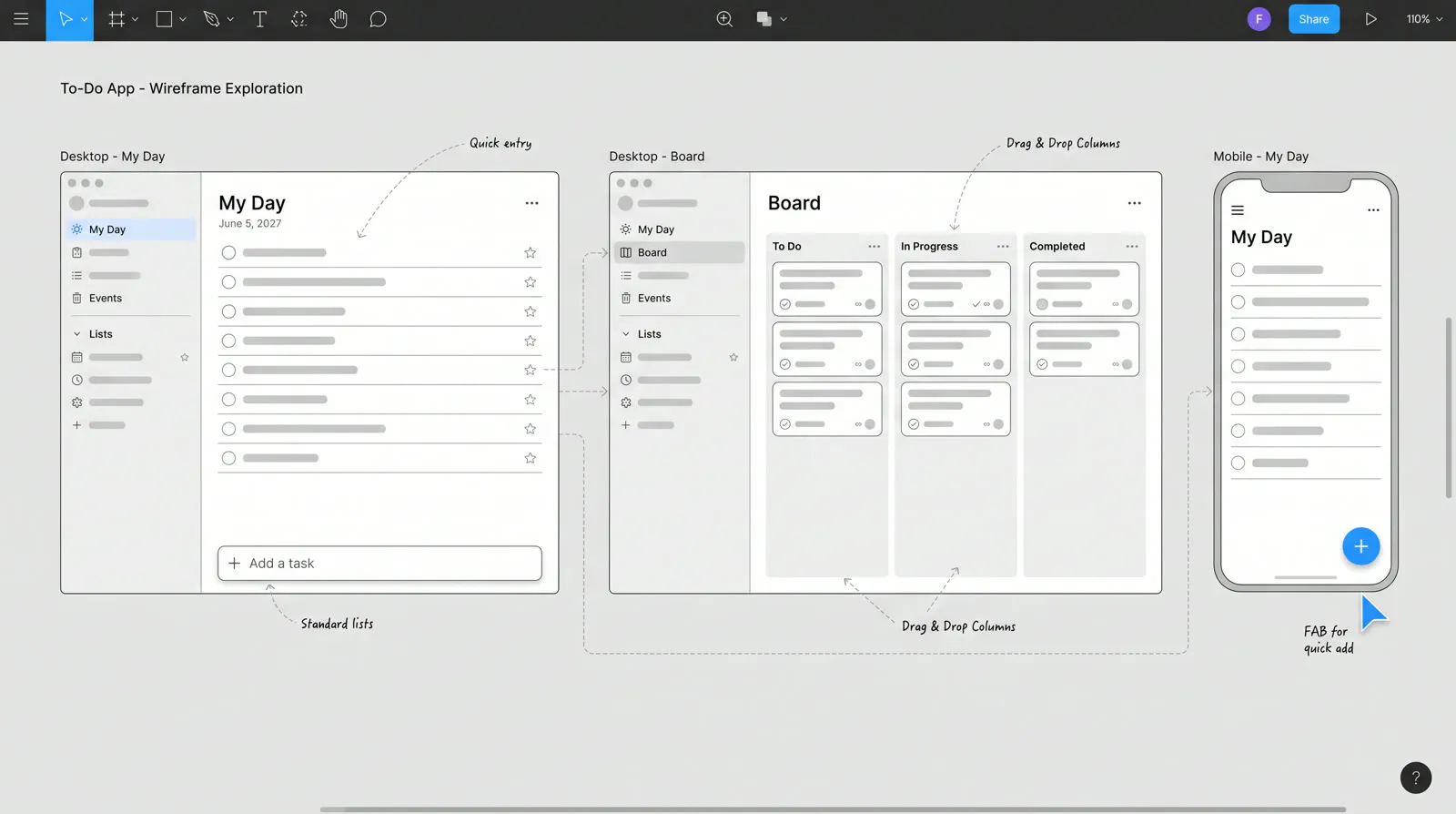
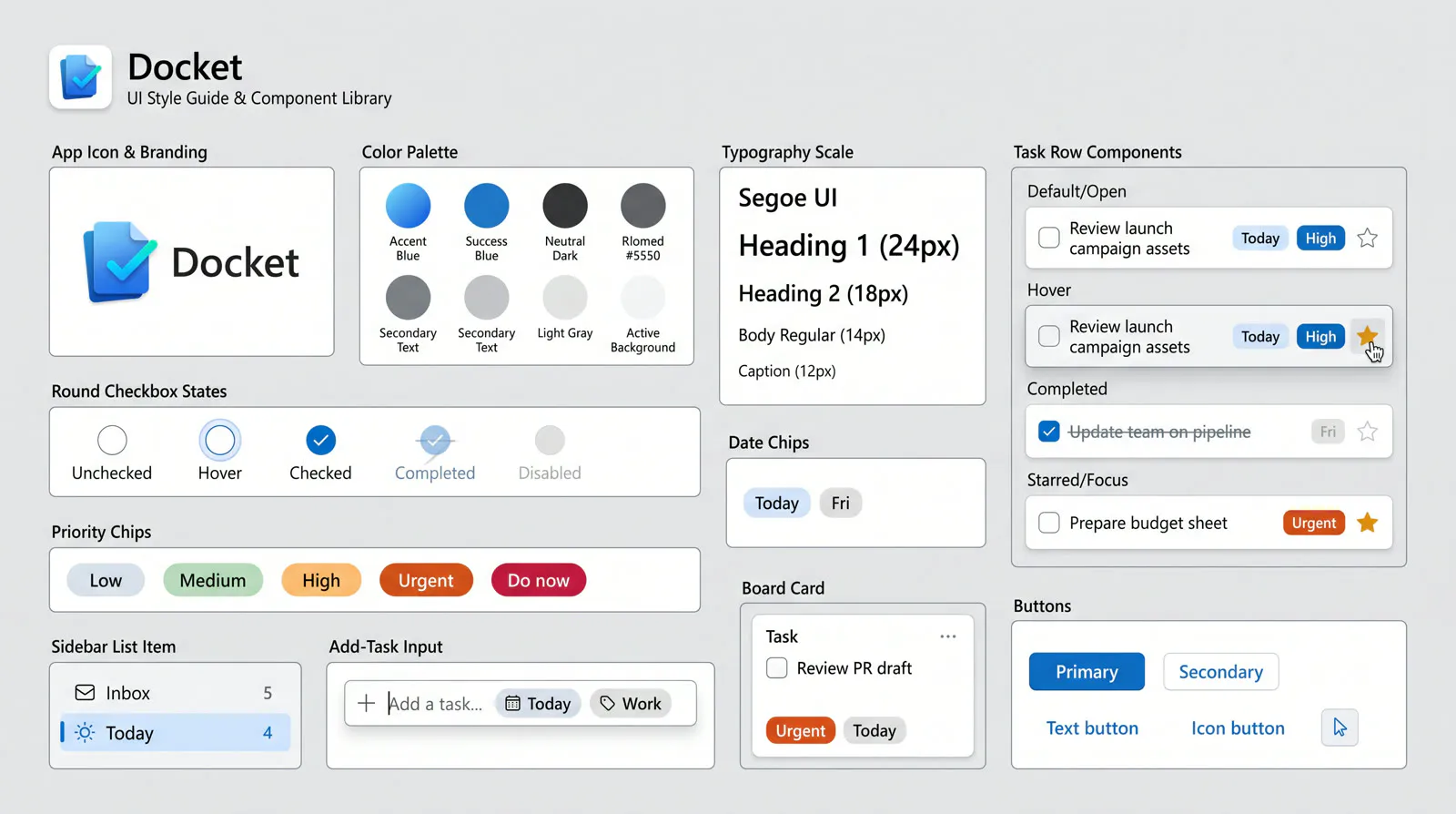
Docket went from a notebook to a working app in four stages: sketches, requirements, wireframes and the interface parts. Step through them.
Stage 01 of 04
To Do's calm, on your own server
The first sketches kept what people like about Microsoft To Do, smart lists down the side and one bar to add a task, and drew the server underneath it.
- My Day, Important, Planned and Tasks, where people expect them
- One add bar that understands dates and priorities as you type
- The same lists on the desktop, the phone, a terminal and an AI
03
Against the market
Docket sits between the to-do apps people love and the self-hosted tools they trust. Switch to “Only us” to see what none of the others do in full.
| Feature | Docket | Microsoft To Do | Todoist | Vikunja's own web app |
|---|---|---|---|---|
| Your tasks on a server you control | Yes | No | No | Yes |
| Open source | Yes | No | No | Yes |
| Native Windows app | Yes | Yes | Partly | No |
| Android app | Yes | Yes | Yes | Partly |
| Quick add reads dates and priority | Yes | No | Yes | Yes |
| Command line for every action | Yes | No | No | No |
| AI connector that cannot delete | Yes | No | No | No |
Yes Partly No. Based on each app's standard version; features change over time.
04
What sets Docket apart
Four things that make Docket worth switching to.
- 01
Your server, your tasks
Docket runs on Vikunja that you host, on your own PC or a server you control, and reaches it over Tailscale from anywhere.
- 02
One core, every door
Windows, Android, the command line and the AI connector share one library, so a repeat or a quick-add word means the same everywhere.
- 03
AI that can't delete
Assistants can read, add and edit tasks over MCP, but there is no delete tool for them to call.
- 04
Feels like To Do
My Day, smart lists, stars and quick add work the way Microsoft To Do users expect, so there is nothing new to learn.
05
One core, every door
Every Docket app shares one core library, so a repeat, a reminder or a quick-add word means the same thing on Windows, on the phone, in a terminal or to an AI. Point at a door to see what it does.
06
Every view of a list
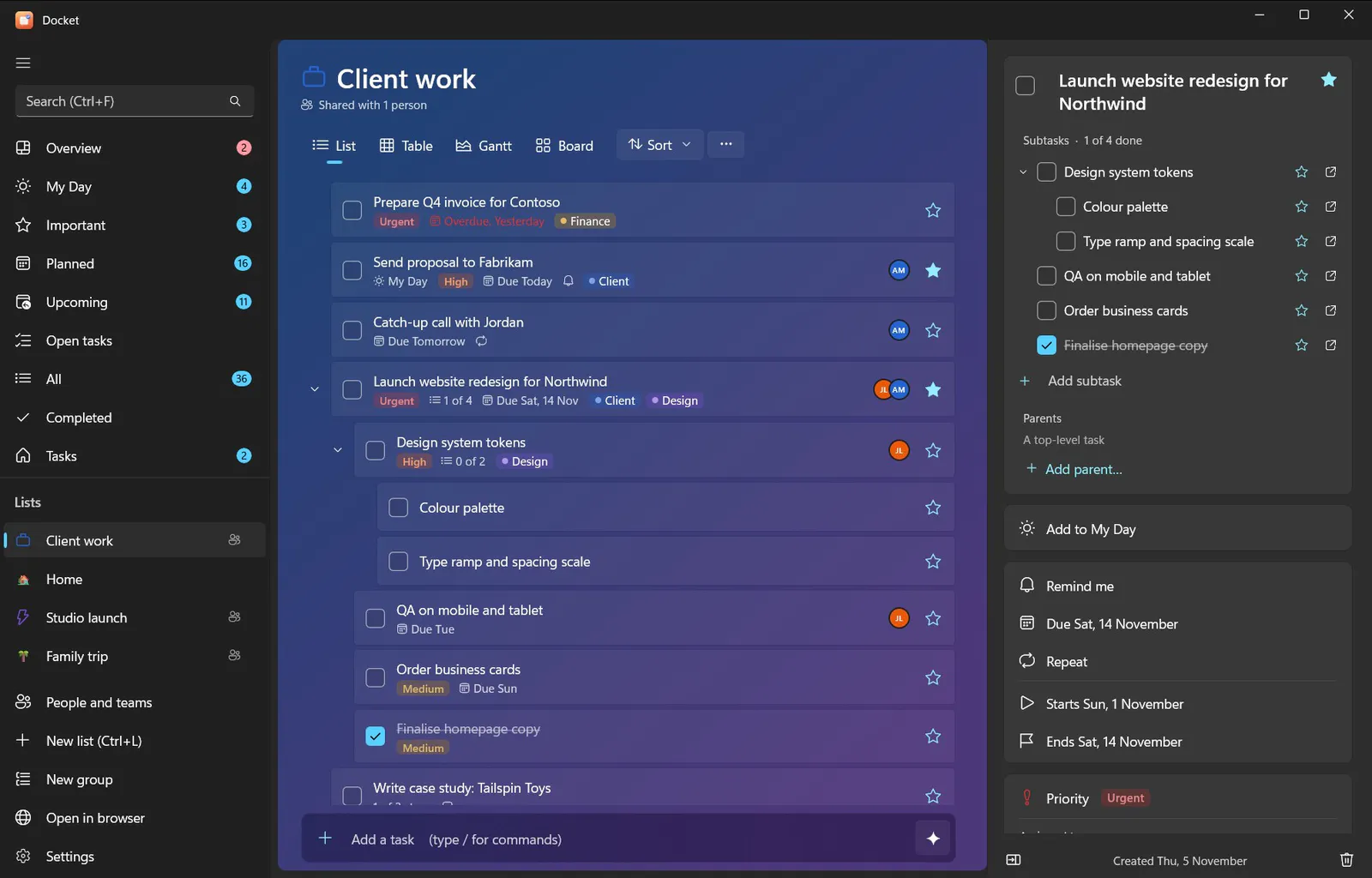
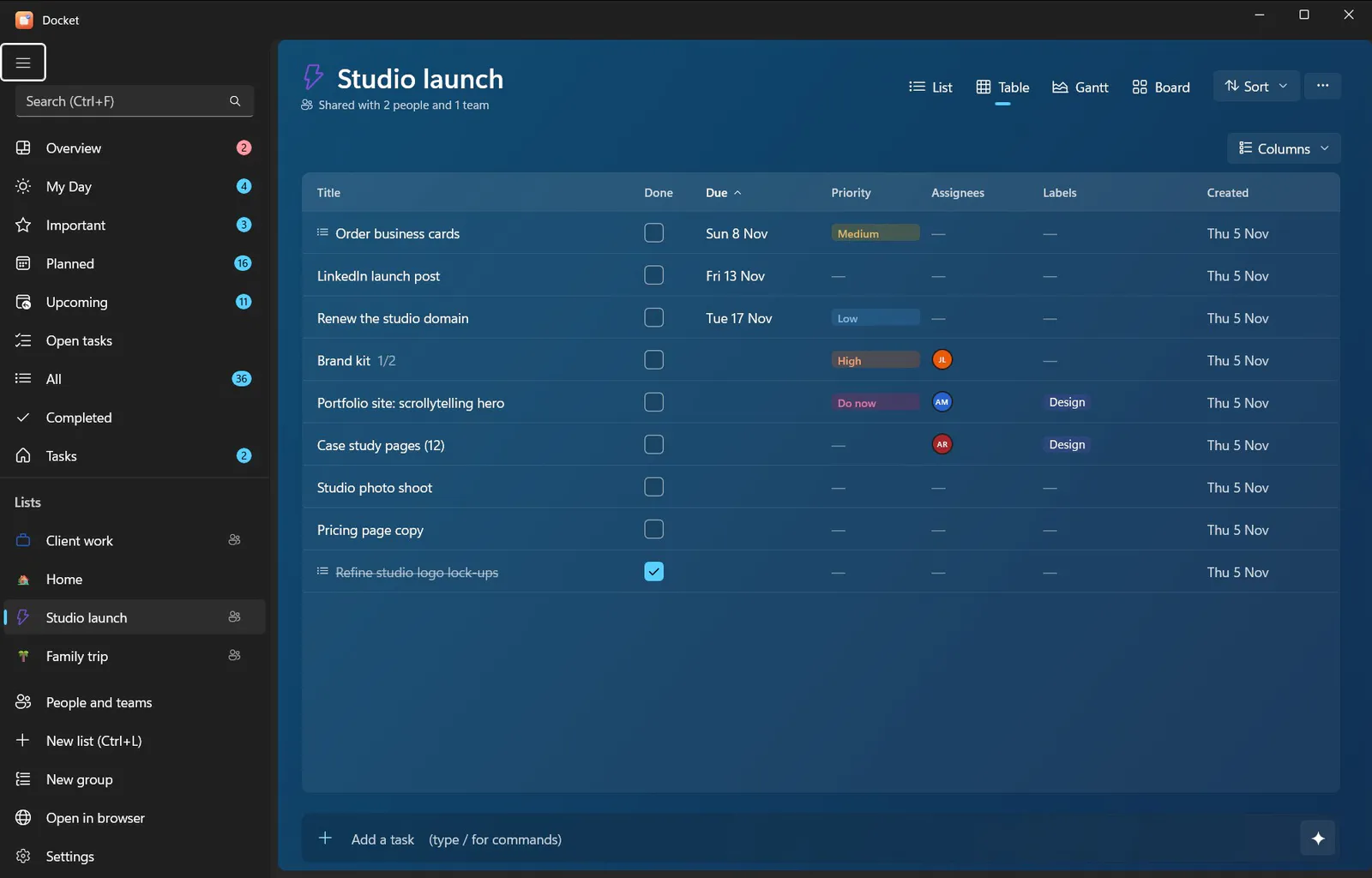
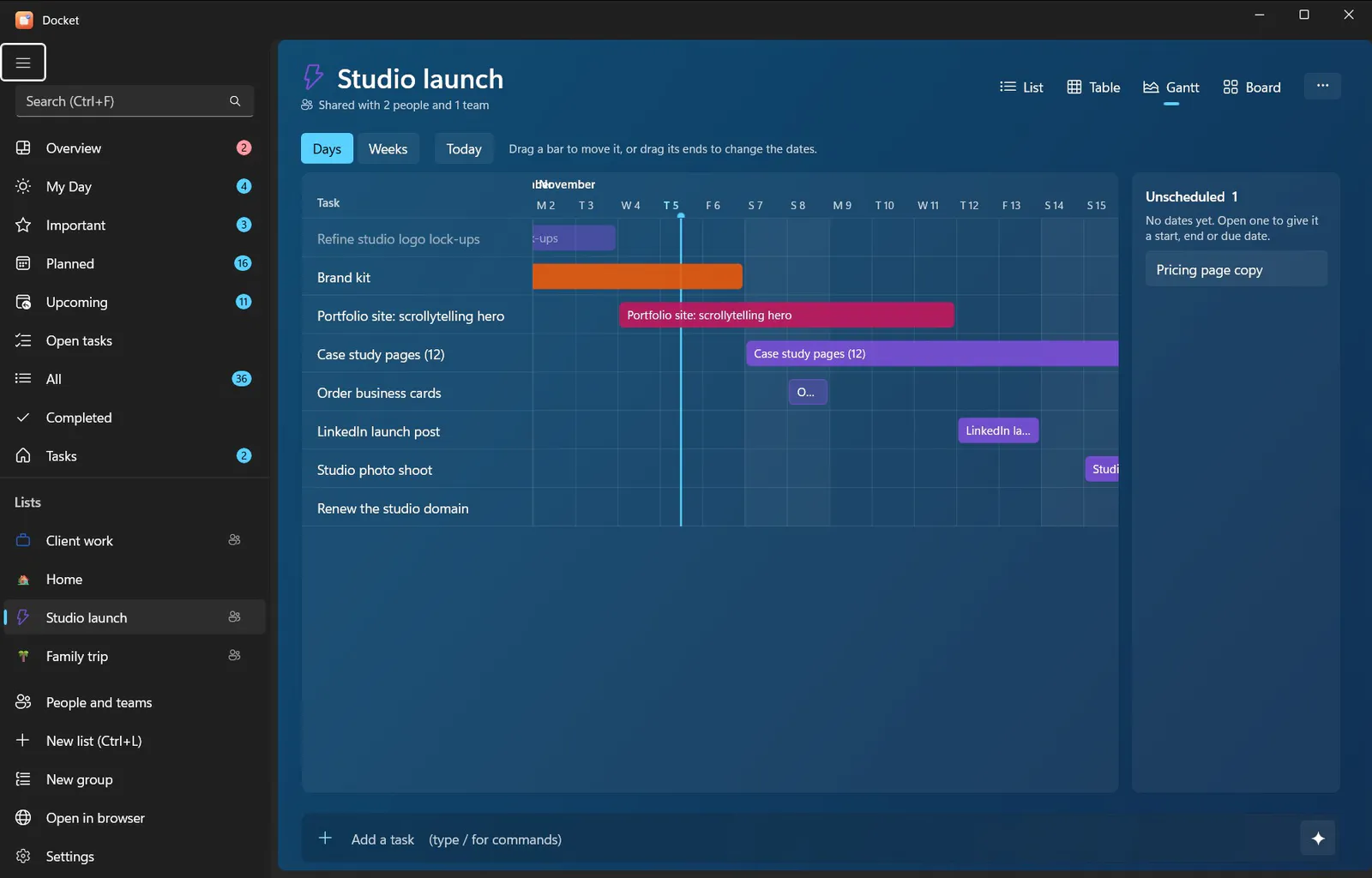
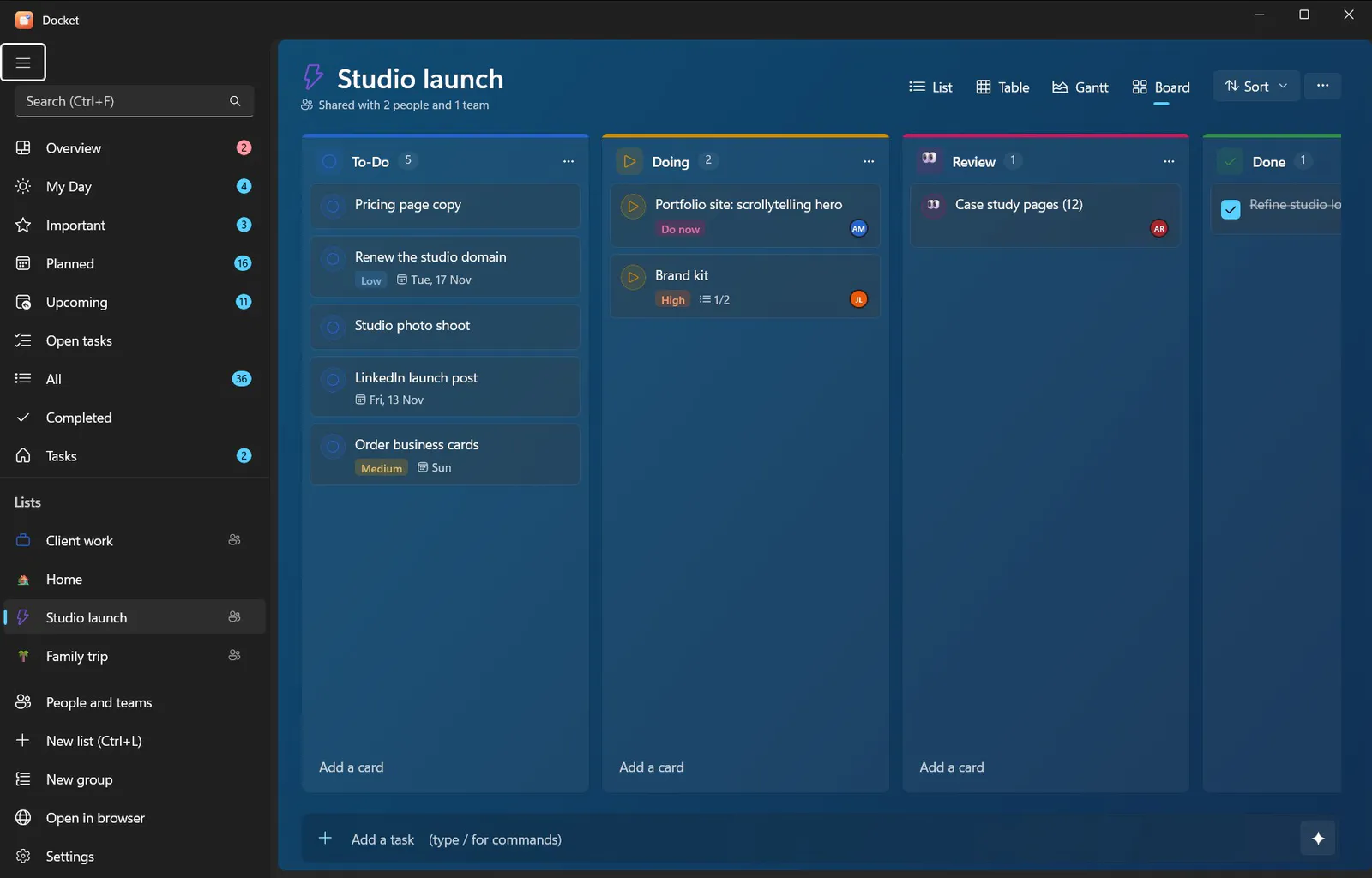
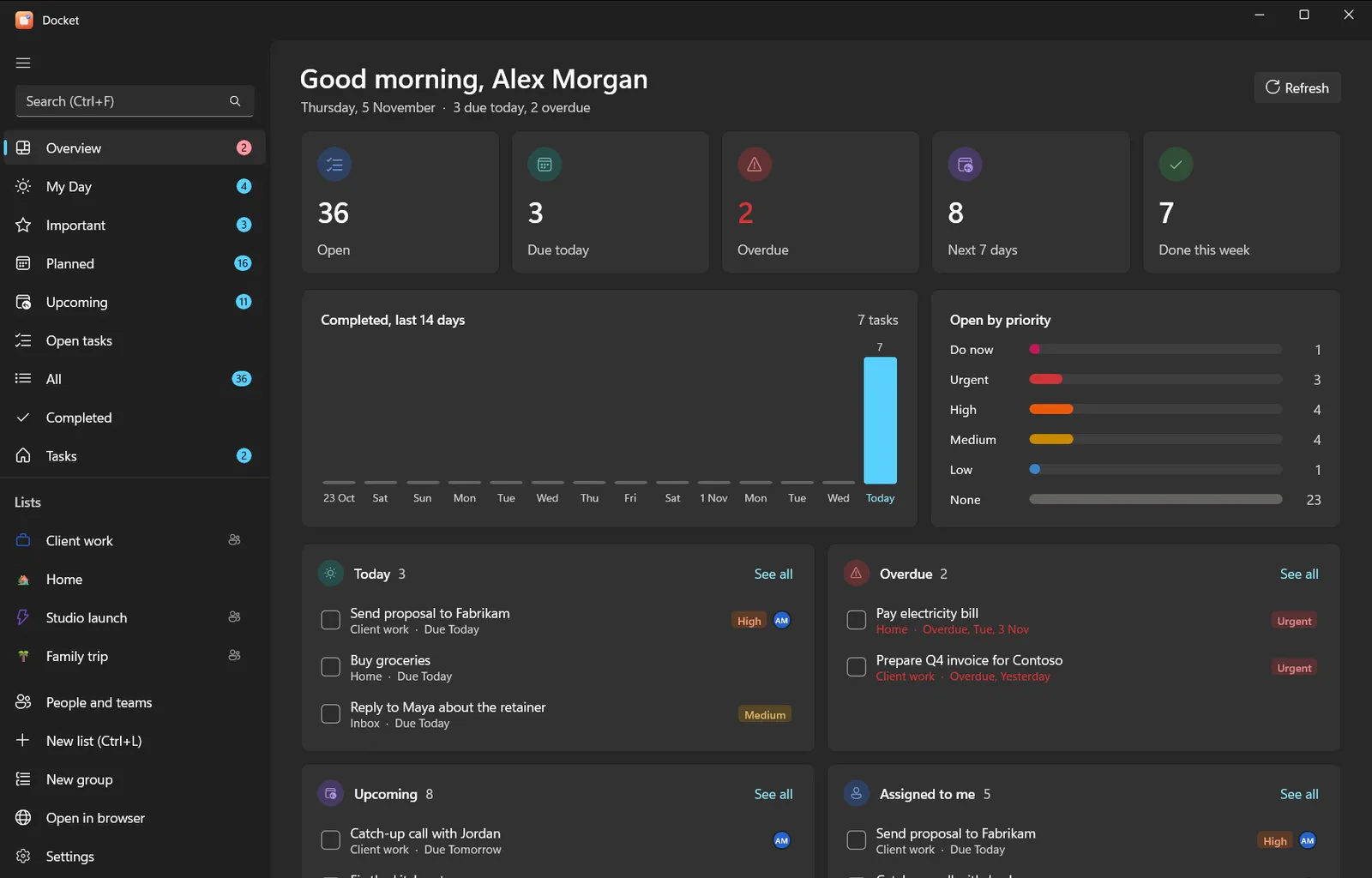
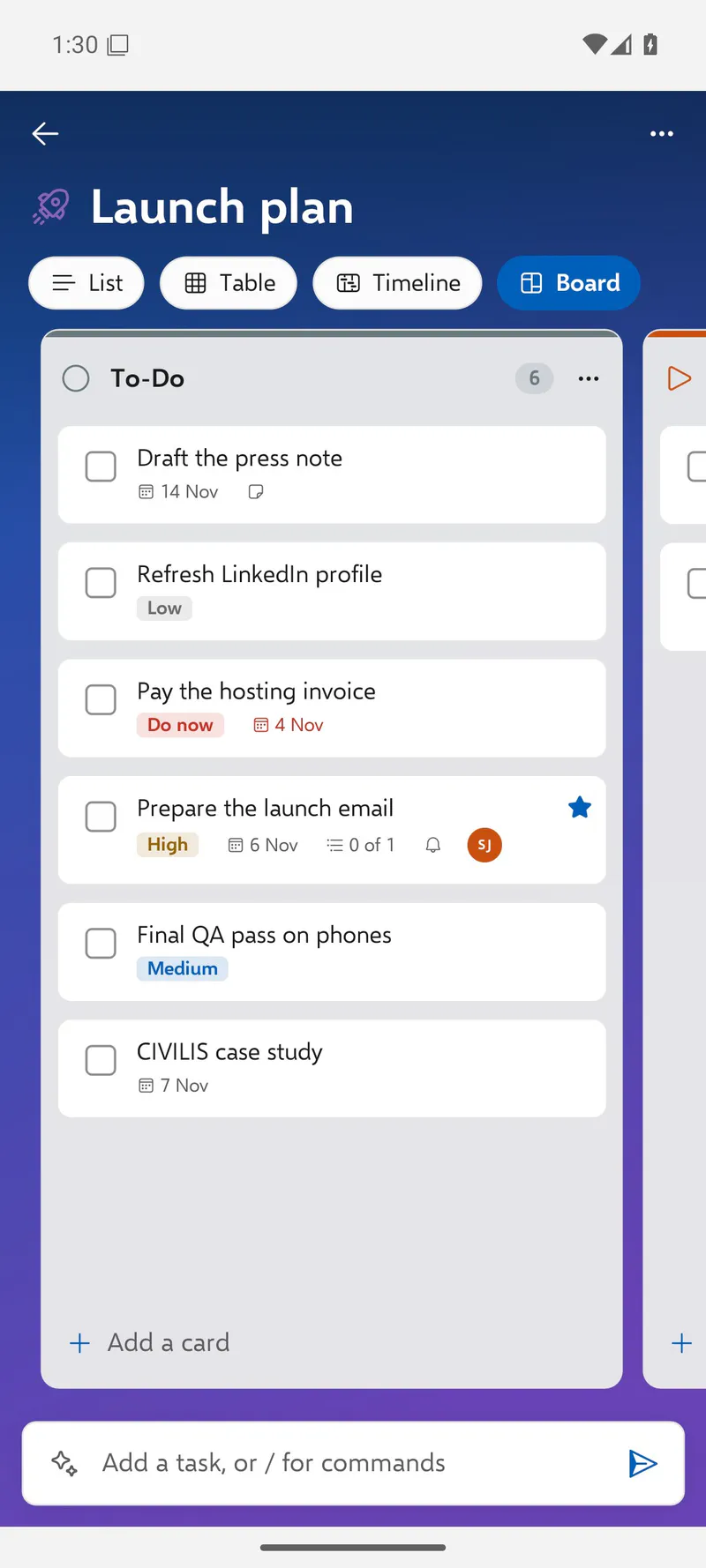
Lists open as a list, a table, a Gantt chart or a board, and Overview pulls the week together. Lists take icons and backgrounds, and boards take their own column colours.
07
The command line
The docket command does everything the apps do, and prints JSON for scripts. These are lines from its own help.
PS>
08
AI that can't delete
Docket’s connector lets Claude, ChatGPT and local models read and change tasks over MCP, REST or the command line. We made one rule hard: an assistant can add, move and complete, but it can never destroy anything.
An illustrative conversation. The tool names are the connector’s own.
Some of the connector’s tools
- list_tasks
- get_task
- add_task
- update_task
- complete_task
- move_task
- add_comment
- set_categories
- my_day
- set_important
- steps
- get_board
- delete_task
There is no delete tool, and its server token has no delete rights either.
09
On the phone
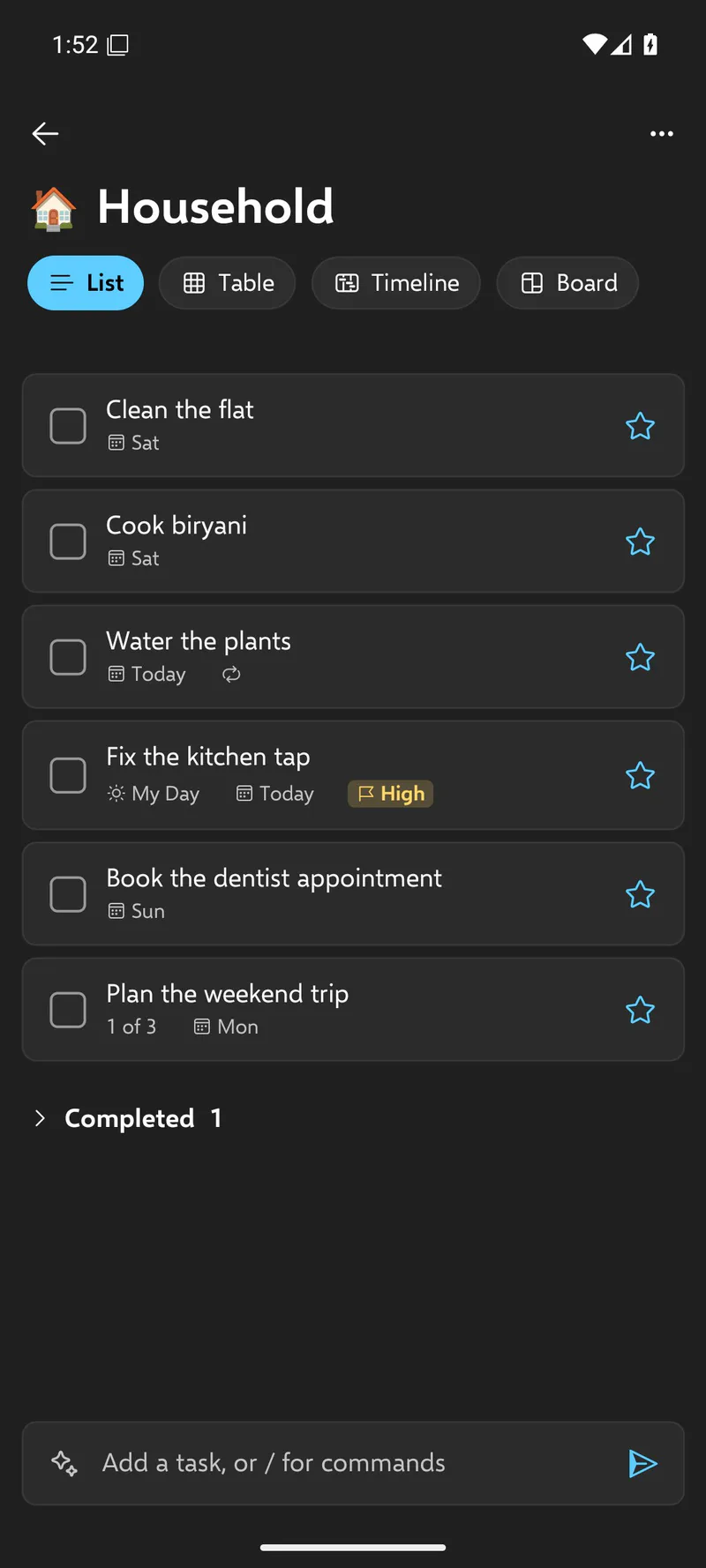
The Android app has the same lists, boards, views, add-bar commands and AI as the Windows app, in the same Fluent style. It signs in with a token for the phone, so your password is never stored on it.
10
Open source
Docket is free and open source under the AGPL-3.0, with guides for Windows, a Docker server, phones and every assistant it supports.
Run it
Windows: install.ps1 from the release zipServer: deploy/docker/setup.shPhone: the Android APK, then your server’s address